The mistake is looking for one app. There is not one, and the ones that promise everything — a website, a registry, a budget, a checklist and a seating chart in a single free download — are free because the vendor directory is advertising and the tool is the delivery mechanism. Pick one tool per job instead. There will be four or five of them, and that is fine.
The planning, and the wardrobe
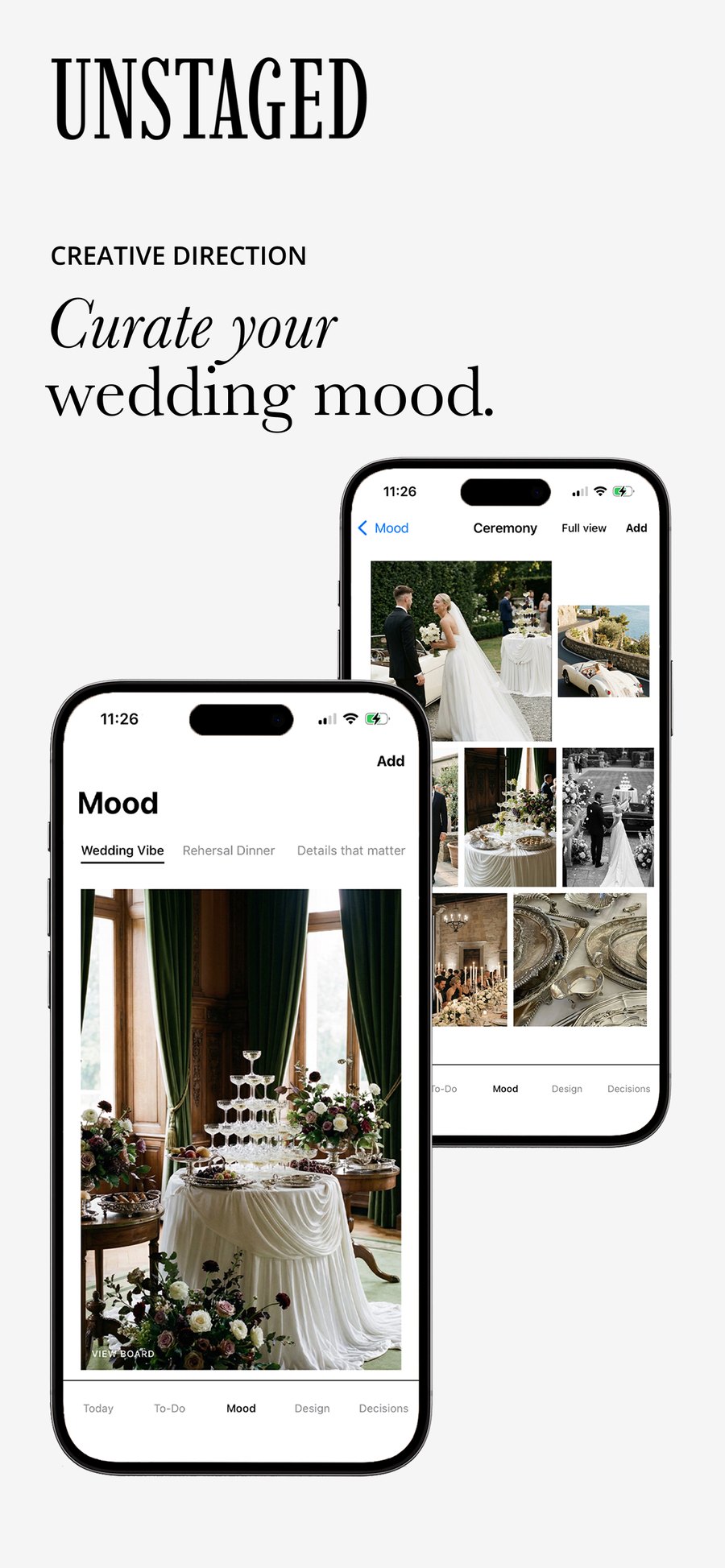
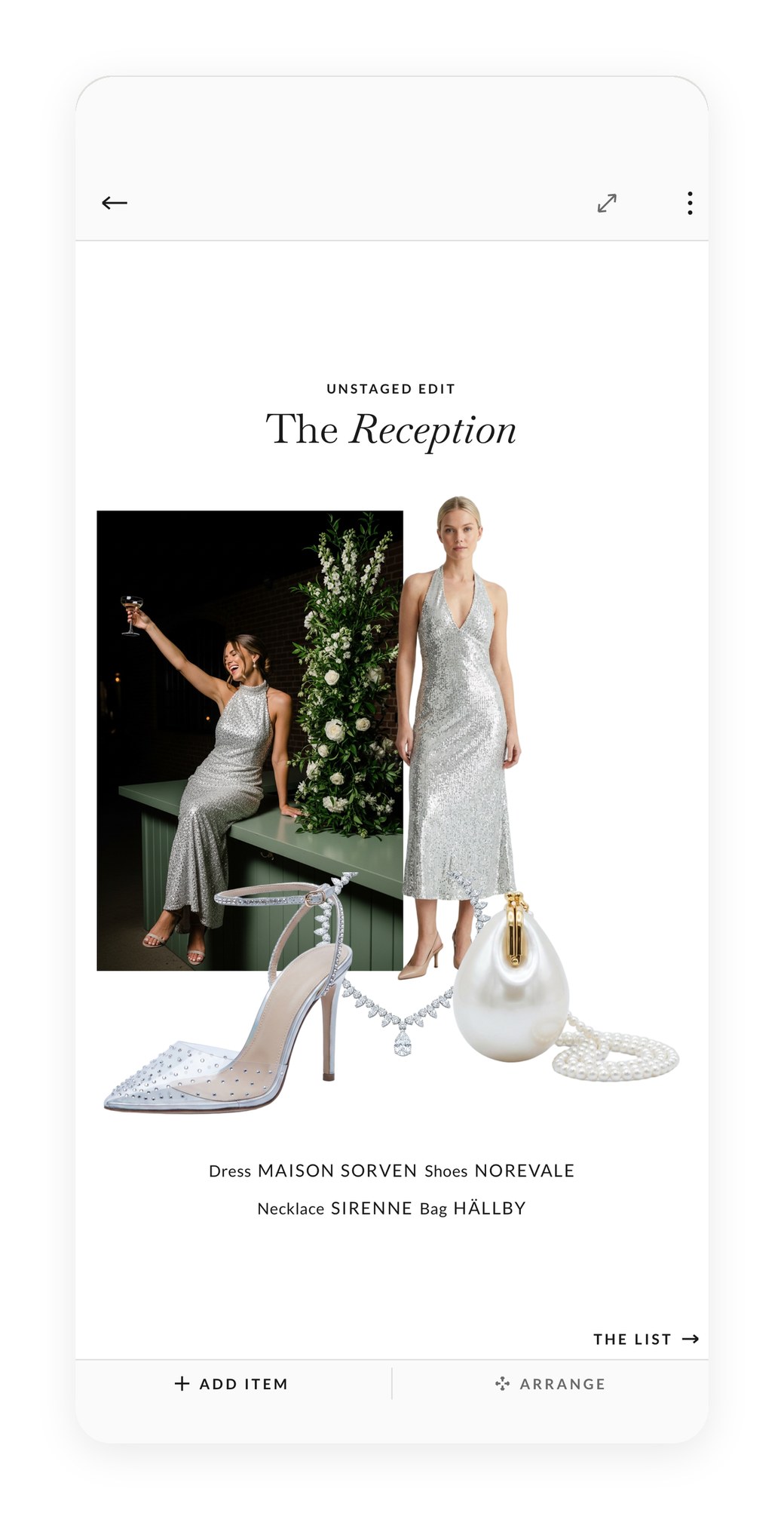
The planner holds the decisions, the budget, the vendors, the guest list, the timeline and the seating, with both of you and your planner in the same wedding rather than three copies of it. Quotes are read off the PDF, a quote does not count against the budget until it is booked, and everything you have chosen becomes a Wedding Deck — one link for your florist, your photographer, your venue. Atelier is separate and does one thing: the dress, the shoes, the veil and the jewellery you are still deciding between, composed as a single image you can send to whoever is dressing you. Nothing in it leaves your phone.
The registry
Honeyfund — honeyfund.com
Cash and honeymoon funds without the awkwardness of a bank transfer. Free to set up, with a fee only when guests pay by card. The honest choice when you already own plates.
Paper, and the things that get posted
Minted — minted.com
Invitations, save-the-dates, menus and signage from independent designers. Not cheap, and the difference is visible in the hand.
Paperless Post — paperlesspost.com
Digital invitations that do not look like a form. For the events around the wedding — the welcome drinks, the rehearsal dinner — where paper is more than the occasion needs.
The photographs your guests take
Guestpix — guestpix.com
A QR code on each table, and every photograph a guest takes lands in one album you own. The cheapest good decision on this page: your photographer gives you two hundred frames in six weeks, and your guests give you two thousand by midnight.
A shared album
Apple Photos or Google Photos does most of the same job for nothing, with a worse experience for whoever has the other phone. Fine for forty people. Painful for a hundred and sixty.
The album afterwards
MILK Books — milkbooks.com
Handmade photo books and albums, and the one place we would send the final edit. Lay-flat pages, real linen or leather, and a design tool that does not fight you. It is the object that survives the phone the pictures were taken on.
The unexpectedly useful
The Photographer's Ephemeris — photoephemeris.com
Shows exactly where the sun will be, and when, at your venue on your date. Photographers use it to plan the light. You can use it to decide what time the ceremony starts — which is a larger decision for your pictures than any filter.
A shared playlist
Spotify, one collaborative playlist, link sent with the invitation. It gives guests something to do months in advance, and it gives your band or DJ a document rather than a conversation.
Dropbox Sign, or any e-signature
Vendor contracts arrive as PDFs and go back signed. Doing it properly means one folder with every signed agreement, rather than an inbox search in month nine.
Pick one tool per job and accept that there will be several. The couples who struggle are not the ones running four apps — they are the ones still hoping one will cover everything, and re-typing the guest list into each of them meanwhile.
— The UNSTAGED Studio
Planning your own wedding? Try UNSTAGED free for seven days.
Start free trial